How to Use a 2x Option Demo Account: A Beginner's Guide

A 2x option Demo account allows you to practice trading using virtual funds. It provides a simulated environment to test strategies, explore technical indicators, and familiarize yourself with the platform's interface and asset payouts without using your own capital. It is an essential tool for building confidence before trading with a Real account.
Understanding the 2x Option Demo Account
For anyone new to the world of online trading, the 2x option Demo account serves as a vital educational tool. It is designed to replicate the live trading environment, allowing you to interact with the platform using virtual funds rather than your own capital. By using this account, you can gain hands-on experience with the interface, understand how different assets behave, and learn the mechanics of placing trades without the pressure of financial loss. Whether you are curious about how the platform functions or want to test a specific approach, the Demo account provides a safe space to learn.
It is important to note that while the Demo account mimics real market conditions, it is a simulation. The primary goal is to help you become comfortable with the system. You can explore the various asset classes available, which include OTC synthetic markets for currencies, crypto, and commodities. Because 2x option works on both desktop and phone browsers, you can practice your skills from virtually anywhere. Always remember that the availability and legality of these services depend on your specific country of residence, so ensure you are aware of your local regulations before you begin.
Getting Started with Your Practice Environment
To begin using the 2x option platform, you first need to access the Home. Once you have registered, you can easily switch between your Demo account and your Real account. The Demo account comes pre-loaded with virtual funds, which you can use to place trades on various assets. When you place a trade, you will see live payouts, which typically range between 55% and 93%. A key feature of the platform is that these payouts are locked the moment your trade is placed, providing clarity on your potential return if the trade expires in the money.
Steps to Start Trading in Demo Mode
- Log in to your 2x option account via your preferred browser.
- Select the "Demo" mode from your account dashboard.
- Choose an asset from the available OTC synthetic markets (currencies, crypto, or commodities).
- Analyze the market using the provided chart types, such as candlesticks, Heikin Ashi, line, or area charts.
- Apply technical indicators like SMA, EMA, RSI, MACD, or Bollinger Bands to refine your strategy.
- Set your investment amount and select your desired expiry time.
- Execute your trade and observe how the market movement affects the outcome.
Utilizing Technical Tools and Indicators
One of the most significant advantages of the 2x option Demo account is the ability to experiment with advanced analytical tools. Successful trading often relies on the ability to interpret market data, and the platform provides a robust suite of indicators to assist you. You can experiment with drawing tools to identify trends or apply indicators such as the Relative Strength Index (RSI) or Moving Averages (SMA/EMA) to spot potential entry points. Because you are using virtual funds, you can test these tools repeatedly to see which ones align best with your personal trading style.
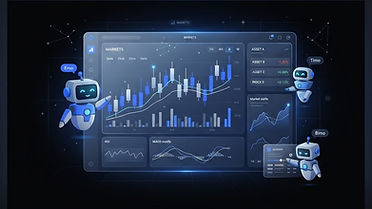
Furthermore, the platform offers optional AI trading assistants—named Emo, Timo, and Bimo—which are clearly labeled as AI. These tools are designed to assist with analysis, but it is crucial to understand that they never guarantee results. Using these assistants within the Demo account allows you to see how they function in real-time without any commitment. By combining these technical indicators with the AI assistants, you can develop a more comprehensive understanding of how to analyze market trends and make informed decisions before you ever consider moving to a Real account.
Comparing Demo and Real Accounts
It is helpful to understand the functional differences between the two account types offered by 2x option. While the interface remains consistent, the stakes and the nature of the funds differ significantly. The table below outlines the key distinctions to keep in mind as you progress through your learning journey.
| Feature | Demo Account | Real Account |
|---|---|---|
| Funds | Virtual | Real Capital |
| Purpose | Practice & Strategy Testing | Live Trading |
| Payouts | Simulated | Real Payouts (55%-93%) |
| Risk | None (Virtual Funds) | Capital at Risk |
| Access | Instant | Requires Deposit |
As shown in the table, the Demo account is strictly for educational purposes. When you feel ready to transition to a Real account, you can make a Deposit using either card or crypto methods. Keep in mind that when you eventually move to live trading, you will need to manage your capital carefully. If you ever encounter issues or have questions, the Help center is available, featuring an AI help assistant and the ability to submit human support tickets.
Developing and Testing Your Strategy
Trading is not just about clicking buttons; it is about having a consistent methodology. The Demo account is the perfect laboratory for testing various strategies. You might want to try a trend-following strategy, or perhaps you prefer to trade based on momentum indicators. By recording your results in the Demo account, you can identify which strategies yield the most consistent outcomes for you. Remember that no strategy is perfect, and market conditions change constantly.
As you refine your approach, consider how different expiry times impact your results. Some traders prefer short-term trades, while others look for longer-term trends. The 2x option platform allows you to adjust these parameters easily. Additionally, you can participate in the Rewards program, which offers a 10-level structure with bonuses based on turnover conditions. While these rewards are typically associated with real-money activity, understanding the platform's ecosystem early on can be beneficial. Always review the Terms and Privacy policies to ensure you understand the rules governing your account usage.
Transitioning to Live Trading Responsibly
When you decide that you have gained enough experience in the Demo account, the transition to a Real account should be handled with caution. Never rush this process. Ensure that you have a clear plan for your trades and that you are only using funds you can afford to lose. When you are ready to Withdraw your funds, be aware that the process involves manual review by the team, requires an email code, and may necessitate identity verification. This security measure is in place to protect your account.
Always keep the Risk Disclosure in mind, as trading involves the possibility of losing your investment. By maintaining the discipline you practiced in the Demo account, you can approach the markets with a more measured perspective. If you find yourself struggling, do not hesitate to return to the Demo account to reset and re-evaluate your strategy. Continuous learning is the hallmark of a disciplined trader. If you are ready to begin your journey, you can Trade with confidence knowing you have the tools to practice first. Try the Demo account.
Practice with virtual funds before risking real money.
Try the Demo accountFAQ
Sources
Risk warning: Trading carries a high level of risk. You may lose all your capital. 18+ only. Not financial advice. Availability depends on your country.
Spotted a mistake? Tell us and we will correct it.